


Is your PlayStation 5 a cool new gadget in your living room? Have you ever wondered, “How do I know if my PS5 is disc or digital?”
Lots of people ask this same question, especially if they’re new to PlayStation or got their console from someone else. It’s like looking at two very similar cars and trying to tell if one is electric or runs on gas – they look alike, but how they work inside is different!
This guide is like your secret map to understanding your PlayStation 5. We’re here to help you figure out the differences, so you can know exactly what kind of PS5 you have. Plus, we’ll talk about which one might be best for you!
Whether you play games all the time or are just starting out, knowing your PS5 helps you enjoy it even more. Let’s jump in and learn all about these amazing machines!
How to Know if PS5 is Disc or Digital? Look Closely!
The easiest way to tell if your PS5 uses discs or is fully digital is to simply look at it. The difference is pretty clear once you know what to find.
- The Disc Drive: The PS5 that uses discs is called the PlayStation 5 with an Ultra HD Blu-ray disc drive. It has a noticeable bump or slot on one side. This is where you slide in your physical game discs and movie discs. It’s like a tiny mailbox for your games.
- The Digital Edition: The PS5 Digital Edition is different. It’s much thinner and looks the same on both sides. It does not have that disc slot. It’s smooth and sleek, with no openings for physical discs.
Think of it like this: One PS5 is like a stereo with a CD player (the disc version), and the other is like a streaming music player (the digital version). The CD player needs a slot for CDs, but the streaming player doesn’t.
A Quick Way to Check:
- Stand your PS5 up tall.
- Look closely at its sides.
- Do you see a slot on one side, usually near the bottom if it’s standing straight?
- YES: You have the Disc Edition.
- NO: You have the Digital Edition.
It’s really that simple! You don’t need to look at secret codes or dig through menus just to find this out.
How Do I Tell Which PS5 Model I Have?
While looking at your PS5 is the easiest way, there are other ways to be super sure about which model you have. This is helpful if you’re thinking about buying one or just want to double-check.
Look at the Box:
If you still have the box your PS5 came in, it will tell you everything! The box will clearly say “PlayStation 5” (for the disc version) or “PlayStation 5 Digital Edition.” This is probably the best way if your console is still in its box.
Check the Model Numbers:
Every electronic device has a special number called a model number. You can usually find this number on a sticker on the bottom or back of your PS5. These numbers can be a bit tricky, but here’s a hint:
- Disc Edition Model Numbers: These often start with CFI-1XXXA (like CFI-1000A, CFI-1100A, CFI-1200A). The letter ‘A’ usually means it has a disc drive.
- Digital Edition Model Numbers: These often start with CFI-1XXXB (like CFI-1000B, CFI-1100B, CFI-1200B). The letter ‘B’ usually means it does not have a disc drive.
So, if you flip over your PS5 and see “CFI-1200A,” you know it’s the disc version. If it says “CFI-1200B,” it’s the Digital Edition.
What About the PlayStation Store?
If you have a Digital Edition PS5, you will only buy games from the PlayStation Store online. You can’t put a game disc in it. If you have a Disc Edition, you can buy games from the store and use physical game discs. The big difference is that disc slot!
✔️Related Post: What Are The Benefits Of a PS5 over a PS4? Performance & Features
Is the PS5 Disc or Digital? What Does That Mean for Gaming?
The main difference, as we’ve seen, is the disc slot. But what does this really mean for how you play games? It’s like deciding if you want to buy movies on DVD or just watch them on a streaming service.
Price:
Usually, the Digital Edition costs less money than the Disc Edition. This is a big reason why many people choose it. Sony made the Digital Edition cheaper to help more people buy a PS5 if they prefer to download games.
For example, when they first came out, the Disc Edition was often $499, while the Digital Edition was $399. That $100 difference can be a lot!
Getting Games:
- Disc Edition: Gives you more choices. You can buy game discs from stores, borrow games from friends, or even find used games for a cheaper price. You can also buy digital games from the PlayStation Store. This is great if you like collecting physical things or want to sell games when you’re done with them.
- Digital Edition: You can only buy games from the PlayStation Store. This is easy and fast, but it means you can’t use physical discs. So, no borrowing games from friends, no finding cheap used games, and you can’t sell your games later.
Storage and Downloading Games:
Both PS5s come with the same amount of space inside (called an SSD, which is like a super-fast hard drive). They both have about 667GB you can use for games.
While the storage is the same, how you get games changes things. Digital games need big downloads, which can fill up your space fast. Games on discs still need to be put onto the SSD, but the first part of the game comes from the disc. This might save you some download time, but not necessarily space once the game is on your PS5.
Playing Older Games (PS4):
- Disc Edition: Can play your physical PlayStation 4 game discs. This is super helpful if you have a lot of PS4 games already.
- Digital Edition: Can only play PS4 games you bought digitally from the PlayStation Store. You cannot put your old PS4 discs into a Digital Edition PS5.
This is a very important point for many gamers. If you have a big pile of PS4 game discs, the Disc Edition is the only way to keep playing them on your new PS5 without buying them again.
How to Know if a PS5 Disc is Original?
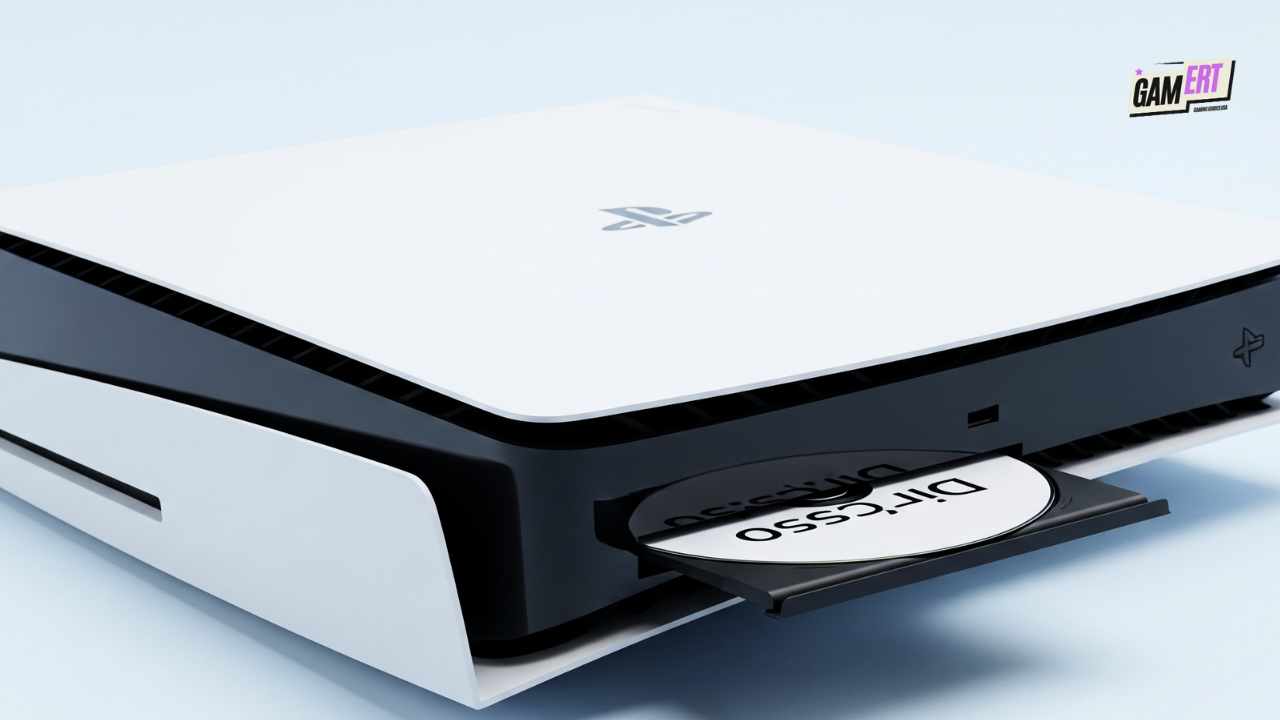
Sometimes you might buy used games, or just want to make sure your game disc is real. Here’s how you can tell if a PS5 disc is original:
- Official PlayStation Look: Look for the PlayStation logo, the proper PS5 game box picture, and the Blu-ray Disc logo right on the disc itself. Fake discs often have blurry logos or look a bit “off.”
- Clear Pictures: Real discs have very clear, sharp pictures printed on them. Fakes might look fuzzy, faded, or have things that don’t quite line up.
- Blu-ray Kind of Disc: PS5 games come on special Ultra HD Blu-ray discs. These discs look shiny and feel different from older CDs or DVDs.
- Security Stickers: Some discs or their cases might have small shiny stickers or special marks. It’s very hard for fake makers to copy these perfectly.
- Age Ratings: Real game discs will show the correct age rating for your area (like ESRB for America or PEGI for Europe) with their official pictures.
- Check the Barcode: You can sometimes look up the barcode on the game case online to see if it matches a real game.
- Where You Buy From: Buying games from trusted stores (online or in person) means you’re much less likely to get a fake disc. Be careful of super cheap prices from unknown sellers!
If a deal seems too good to be true, it probably is. Fake discs are not common, but they do exist, especially for very popular or hard-to-find games.
Is the PS5 Digital or Physical? Choosing Your Path
Choosing between the PS5 Digital and Physical (Disc) Edition is all about what you like, how much you want to spend, and how you like to play games. There isn’t one that’s “better” for everyone; it’s about what’s better for you.
Think of it like choosing between getting all your TV shows through a streaming service or buying every show on DVD. Both let you watch shows, but how you own them is very different. Streaming is easy and quick, but you don’t truly “own” the show. DVDs are yours forever, but you need a player and a place to keep them.
One time, my friend who loves finding good deals really wanted the Disc Edition, even though he usually buys new games. Why? He told me, “I love finding a great used game for cheap and then selling it when I’m done. It’s like a small business in my room!”
But my cousin, who likes everything neat and simple, picked the Digital Edition. “Less stuff, less hassle, just games ready to play,” she said. Their choices show how different people want different things!
Which PS5 Version is Better?
This is a big question! As we’ve talked about, the answer isn’t simple. It’s more about what fits your life.
A report, though not official, showed that more than half of PS5 owners chose the Disc Edition. This tells us that many people still like having physical games and being able to sell them later. But the Digital Edition’s lower price keeps bringing in many new players, especially those who like everything online.
Here’s a simple table to help you compare:
This table helps you see the pros and cons. If you really want to play games from discs, the Disc Edition is the only choice. If saving money at first and only buying games online is your goal, the Digital Edition is great.
Which PS5 is Not Digital?
This is an easy one! The PlayStation 5 with the Ultra HD Blu-ray disc drive is the PS5 that is NOT digital. It’s the one that lets you put in game discs and movie discs. This was the first regular version that came out with the Digital Edition.
Is the Spider-Man PS5 Digital or Disc?
When Sony makes special PS5 consoles, like a “Spider-Man PS5,” they might make both disc and digital versions, or sometimes just one kind. To be sure about a special edition like this, you need to check the official information or the box.
Often, special edition consoles have been the Disc Edition, because many people like having the physical game that comes with it. But this isn’t always true.
For example, if Sony made a “Marvel’s Spider-Man 2 Special Edition PS5,” they might sell a Disc Edition (with a cool console design, special controller, and the game disc) and maybe also a Digital Edition (with the same design and a digital game code). So, always check the exact description when looking at a special console!
Is a PS5 with a Disc Drive Worth It?
For many people, yes, it’s worth it! The Disc Edition can often save you money over time and gives you more ways to play.
Think about this: A new PS5 game often costs around $70. If you buy five new games a year, that’s $350. But what if you could sell each game for, say, $30 after you’re done playing it? You’d get back $150! Over a few years, that money you save can easily be more than the extra $100 you paid for the Disc Edition PS5.
And finding used games can save you even more. Imagine getting a popular game for $20-$30 instead of $70! The savings can add up quickly.
“For people who play a lot of games, buying physical games can really save money,” says Michael Pachter, who knows a lot about video games. “While digital is easy, being able to sell games back means real savings that many players really like.” This shows that there’s a clear financial reason to choose the Disc Edition.
Besides saving money, some people just love having physical games. For collectors, seeing a shelf full of their favourite game cases is part of the fun of gaming. It’s like a trophy case of their adventures.
Can You Play Physical Games on PS5 Digital?
No, absolutely not. This is the most important thing to remember. The PS5 Digital Edition does not have a disc slot. Because of this, it cannot read or play any physical game discs. This includes PS5 games, PS4 games, Blu-ray movies, or regular DVDs.
If you have many physical games and buy the Digital Edition, those discs won’t work on your new console. You would need to buy those games again, but this time from the PlayStation Store, if you want to play them on your Digital Edition.
Can You Put Discs in PS5 Digital?
This question is like asking, “Can you play physical games on PS5 Digital?” and the answer is still no. There is no slot or place to put any disc into the PS5 Digital Edition. Trying to force a disc in would not work and could even break your console.
The Digital Edition is made to be simple and without a disc drive. It’s built for a future where all games are downloaded and saved on the console’s internal storage.
Conclusion: Picking Your PS5 Adventure
So, how do you find out if your PS5 is disc or digital? A quick look at its side will tell you the answer. And understanding what each model means helps you choose the best one for how you like to play games.
Both versions of the PlayStation 5 are amazing. They both give you stunning pictures, super-fast loading times, and games that pull you right in. The basic power of both consoles is the same. The choice between them isn’t about one being stronger, but about how you want to get your games and movies.
Are you someone who likes new things, wanting the ease and lower cost of the Digital Edition? Or are you more old-school, liking the choices, possible savings, and the feel of physical games that the Disc Edition offers?
No matter which one you pick, the real fun of PlayStation 5 is in the amazing worlds it lets you explore. So, turn on your console, download your next big adventure, or slide in that shiny new game disc – and let the games begin! Which PS5 sounds like the right one for your gaming style, and why? Tell us your thoughts!
